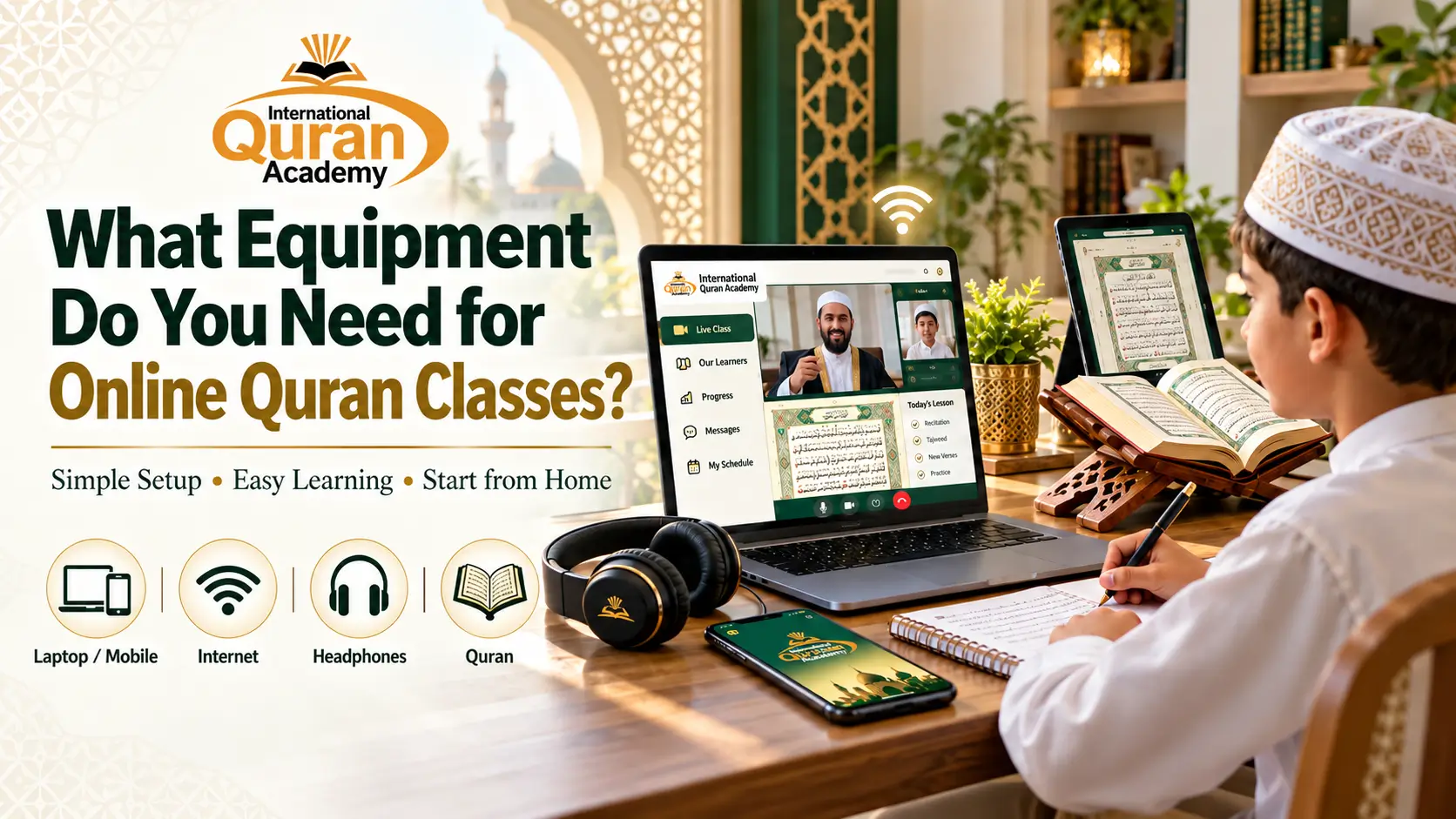
Starting online Quran classes is easier than you might think. You don't need an expensive computer, professional microphone, or complicated technical setup. All you really need is a smartphone, tablet, or computer, a stable internet connection, a working microphone and speaker, and a Quran or Qaida for your lessons. A quiet place to study also helps you concentrate.
At International Quran Academy, students attend lessons through the academy's own built-in online classroom, so there's no need to install separate meeting apps such as Zoom, Google Meet, or Microsoft Teams.
In this guide, we'll explain the equipment you need for online Quran classes, which devices work best, how to prepare your learning space, and what to expect during your first lesson.
What Equipment Is Required for Online Quran Classes?
The good news is that most families already have everything they need at home.
You can start learning the Quran online with a few basic items. Some are essential, while others simply make your lessons more comfortable.
Here's a quick overview:
| Equipment | Required or Optional? | Why You Need It |
|---|---|---|
| Smartphone, tablet, laptop, or computer | Required | To attend online Quran classes |
| Stable internet connection | Required | To communicate with your teacher |
| Microphone | Required | So your teacher can hear your recitation |
| Speaker or headphones | Required — either one | To hear your teacher clearly |
| Camera or webcam | Recommended | For face-to-face learning when needed |
| Quran or Noorani Qaida | As required by your course | For reading and practice |
| Quiet learning space | Recommended | To avoid distractions |
| Notebook and pencil | Optional | To write down important points |
| Device stand | Optional | To keep your device in a comfortable position |
You don't need to buy everything on this list.
For example, if you already have a smartphone with a working microphone, speaker, and internet connection, you're almost ready to begin.
Let's look at each item in more detail.
1. Which Device Is Best for Online Quran Classes?
One of the most common questions parents ask is whether they need a laptop for online Quran learning.
The answer is no. You can usually attend online Quran classes using a smartphone, tablet, laptop, or desktop computer.
The best device depends on your comfort, screen size, and learning needs.
Can You Take Online Quran Classes on a Smartphone?
Yes. A smartphone can be a good option for online Quran classes, especially if you're using a physical Quran or Qaida alongside your lessons.
Most modern Android phones and iPhones have built-in microphones, speakers, and cameras.
This means you don't need to purchase separate equipment.
A smartphone can work well for:
- Basic Noorani Qaida lessons
- Quran Reading and Nazra
- Tajweed practice
- Hifz and Quran memorization
- Short daily Quran lessons
However, reading small Arabic text on a phone screen can sometimes be difficult.
If you're using a mobile phone, placing it on a stand and reading from a physical Quran may make your lessons more comfortable.
Is a Tablet Better for Online Quran Classes?
Tablets are often a convenient choice for children.
Their larger screens make it easier to read Arabic text, see learning materials, and follow a teacher's instructions.
A tablet can also be useful for students who prefer digital Quran books or learning materials.
If you already have a tablet at home, there's usually no reason to purchase a laptop just for Quran classes.
Do You Need a Laptop or Computer?
A laptop or desktop computer is another good option, but it isn't compulsory.
Larger screens can make it easier to read Quranic verses and view lesson materials.
A laptop may be especially helpful for students who attend longer classes or want to keep their Quran text open while communicating with their teacher.
Our advice: Start with a device you already have. As long as it supports the academy's online classroom and allows clear communication, you don't need to spend money on a new one.
2. What Internet Connection Do You Need for Online Quran Classes?
A stable internet connection is one of the most important requirements for online Quran learning.
During a class, your teacher needs to hear your Quran recitation clearly. If the internet keeps disconnecting, it may become difficult to follow the lesson or receive pronunciation corrections.
You can use home Wi-Fi or mobile data, depending on which works better in your area.
How Much Internet Speed Is Enough?
You don't necessarily need the fastest internet package available.
For a one-to-one online lesson, a steady connection that supports clear voice and video communication is usually more important than very high download speeds.
The exact internet speed needed depends on your device, network quality, and the classroom's audio and video settings.
If your connection regularly supports video calls without freezing or losing audio, that's a useful starting point.
Tips for a Better Internet Connection
To help your class run smoothly:
- Sit somewhere with a strong Wi-Fi signal.
- Avoid downloading large files during lessons.
- Ask family members to limit heavy internet use if your connection is slow.
- Keep mobile data available as a backup when possible.
- Check your internet connection before class starts.
If you're attending from a country where internet service is unreliable, explain the situation to the academy so you can discuss a suitable learning arrangement.
3. Do You Need Headphones and a Microphone?
Clear audio matters a lot when learning the Quran.
Unlike some online subjects, Quran learning requires careful listening and pronunciation.
For example, during Tajweed lessons, your teacher may ask you to repeat an Arabic letter several times until you're able to pronounce it correctly.
If the sound is unclear, it becomes harder to understand and correct mistakes.
Are Headphones Necessary?
Headphones are helpful, but they're not always required.
Most smartphones, tablets, and laptops already have built-in speakers.
If you can hear your teacher clearly without headphones, you may not need to buy any.
However, headphones can be useful when:
- Other family members are making noise.
- You're attending class in a shared room.
- You find it difficult to hear certain Arabic sounds.
- Your device's speakers aren't very clear.
For younger children, choose comfortable headphones and keep the volume at a safe level. Parents should supervise headphone use when appropriate.
Do You Need an External Microphone?
Usually, no.
The built-in microphone on a modern smartphone, tablet, or laptop is often sufficient for online Quran classes.
Before your lesson, test your microphone to make sure your teacher will be able to hear you.
If the sound is too low or unclear, adjusting the device position or using a headset may help.
4. How Do Online Quran Classes Work at International Quran Academy?
At International Quran Academy, students attend lessons through the academy's own built-in virtual classroom.
This means you don't have to depend on separate video meeting applications for your regular Quran lessons.
The classroom provides an online learning environment where students and teachers can communicate during their scheduled lessons.
Do You Need Zoom, Google Meet, or Microsoft Teams?
No.
International Quran Academy uses its built-in classroom for online Quran teaching.
You don't need to install Zoom, Microsoft Teams, or Google Meet just to attend your academy lessons.
This helps keep the learning process focused on one classroom system.
How Do You Join Your Online Quran Classroom?
The general process is simple:
- Register for your Quran course.
- Receive your classroom access instructions from the academy.
- Open the academy's classroom using the supported device and access method.
- Check that your microphone and speakers are working.
- Join your scheduled lesson and follow your teacher's instructions.
The academy will provide the relevant joining details so you know how to access your class.
What Happens Inside an Online Quran Class?
During a typical one-to-one Quran lesson, you can listen to your teacher, recite Quranic verses, receive pronunciation corrections, and practice new material.
For beginners, the teacher may focus on Arabic letters and simple words.
For Tajweed students, lessons may involve listening carefully to the pronunciation of certain letters and repeating them.
Hifz students may recite newly memorized verses and revise previous lessons.
The lesson activities depend on your course and current learning level.
5. Do You Need a Physical Quran or Noorani Qaida?
Having the right reading material makes online Quran learning easier.
However, the exact book you need depends on your course.
For Noorani Qaida Students
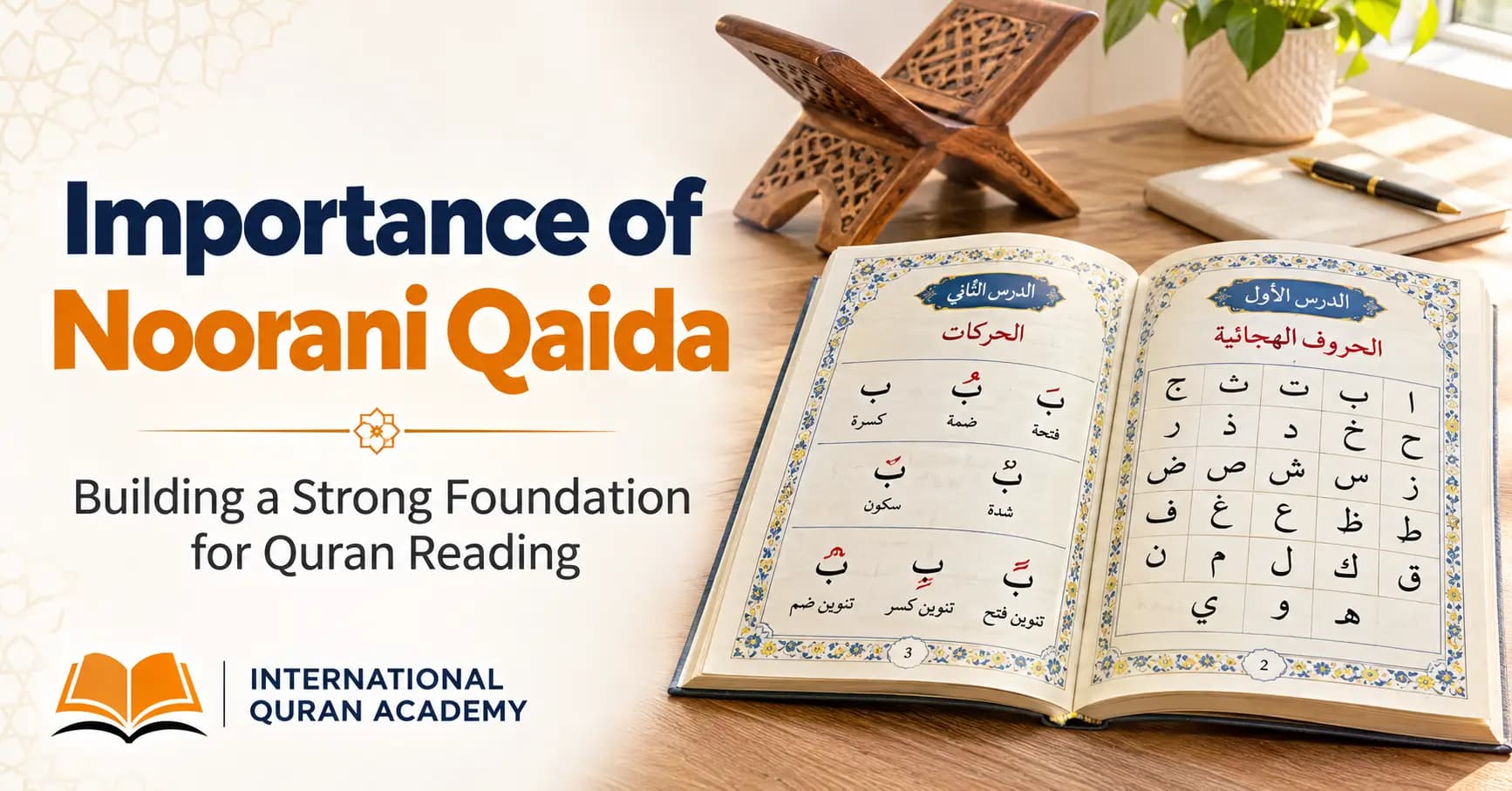
If you're learning Arabic letters for the first time, your teacher may recommend Noorani Qaida or another suitable beginner's book.
These materials help students learn letter recognition, vowel signs, and basic reading skills.
For Quran Reading and Nazra Students
Students learning Nazra usually need access to the Holy Quran.
You may use a physical Mushaf or suitable digital Quran text, depending on your teacher's instructions.
A physical Quran can be particularly helpful if you're attending class on a phone with a smaller screen.
For Tajweed Students
Tajweed students need Quranic text for pronunciation practice.
Your teacher may also recommend specific practice exercises or study materials covering rules such as Madd, Ghunnah, Ikhfa, and Idgham.
For Hifz Students
Students memorizing the Quran should have access to the verses they are learning and revising.
Using a consistent Mushaf layout may also help some students remember where verses appear on the page.
Tip: Before purchasing any books, ask your teacher which Quran or Qaida is recommended for your course.
6. How to Set Up a Quiet Learning Space at Home
You don't need a separate study room to attend online Quran classes.
A quiet corner of your home can work perfectly well.
The main goal is to find a comfortable place where you can focus on your lesson without unnecessary distractions.
Choose a Quiet Place
Try to sit away from loud televisions, conversations, or other distracting sounds.
A quieter environment helps you hear your teacher and concentrate on reading.
Keep Your Device Stable
If you're using a phone or tablet, place it on a stable surface or stand.
Holding a phone throughout the lesson can become uncomfortable, especially when you need to read from a book.
Make Sure There Is Enough Light
Good lighting helps you see the Quran text clearly.
If your teacher needs to see you during the lesson, suitable lighting can also improve camera visibility.
Keep Your Learning Materials Nearby
Before the class begins, prepare your Quran, Qaida, notebook, and any other materials your teacher has requested.
This helps you avoid leaving your seat repeatedly during the lesson.
Help Younger Children Get Ready
For young children, parents may need to help with the device, classroom access, and learning materials.
Once everything is ready, children can focus on listening and learning.
7. How to Prepare for Your First Online Quran Class
If you've never attended an online Quran class before, there's no need to worry.
Preparing a few things in advance can make your first lesson much easier.
First Online Quran Class Checklist
Before your class starts, make sure you have:
- A charged smartphone, tablet, laptop, or computer
- A working internet connection
- A microphone and speakers that work properly
- Your classroom access details
- Your Quran or Qaida, if required
- A comfortable and quiet place to sit
- Any learning materials requested by your teacher
- A parent nearby if a younger child needs help
Try to be ready a few minutes before your scheduled class.
This gives you time to check your device and internet connection without rushing.
If you experience a technical problem, contact the academy for assistance.
8. Common Technical Problems During Online Quran Classes
Even with good preparation, technical problems can sometimes happen.
The good news is that many of them are easy to solve.
| Problem | What You Can Do |
|---|---|
| You can't hear the teacher | Check your speaker volume and audio output |
| The teacher can't hear you | Check microphone permissions and mute settings |
| Your class keeps freezing | Check Wi-Fi or try another connection |
| The classroom doesn't open | Check your access details and internet connection |
| The Quran text is too small | Use a larger device or physical Quran |
| Your device is running slowly | Close unnecessary applications |
| Your battery is low | Connect your device to a charger |
| Your headset causes an echo | Check the audio connection or switch to built-in audio |
If the issue continues, let the academy know rather than repeatedly changing settings without guidance.
9. Do Online Quran Classes Require Expensive Equipment?
No. Online Quran classes do not usually require expensive equipment.
You don't need a high-end laptop, professional recording microphone, special camera, or costly study accessories.
For many students, a working smartphone and stable internet connection are enough to get started.
If you already own a suitable tablet or laptop, you can use that instead.
It's better to focus on having clear audio, a reliable connection, and a comfortable learning setup than on buying expensive technology.
For parents enrolling multiple children, this can make online Quran learning more convenient and affordable.
10. What Equipment Is Best for Kids Attending Online Quran Classes?
Children often have slightly different needs from adults.
While both can use the same basic equipment, a few simple adjustments may make lessons easier for younger students.
Choose a Comfortable Screen Size
A tablet or laptop can be helpful for children who find it difficult to read Arabic text on a small phone.
However, a phone can still work well when paired with a physical Qaida or Quran.
Use a Device Stand
A stable device stand keeps the screen in place and helps children maintain a comfortable sitting position.
Keep Lessons Free from Distractions
Try to keep games, entertainment videos, and unnecessary notifications away during class time.
Provide Help When Needed
Younger children may need a parent to help them access the classroom, adjust the volume, or prepare their books.
As children become more confident, they can gradually learn to manage their class setup independently.
The goal is to create a simple environment where they can focus on their Quran teacher and lesson.
11. Why Choose International Quran Academy for Online Quran Learning?
At International Quran Academy, students can learn the Holy Quran from home through one-to-one online classes.
The academy offers Quran learning opportunities for children and adults, from complete beginners to students who want to improve their recitation or memorization.
Courses Available
Students can explore courses such as:
- Noorani Qaida
- Quran Reading and Nazra
- Quran with Tajweed
- Hifz-ul-Quran
- Quran Translation and Tafseer
- Basic Islamic Studies
- Namaz, Duas, and Azkar
- Arabic Language
What Makes the Classes Convenient?
One-to-One Learning
Students receive individual attention from their teacher, making it easier to ask questions and receive corrections.
Male and Female Teachers
Students can select an appropriate teacher based on their learning needs and preferences.
Flexible Class Timings
Families can choose suitable class times around school, work, and other commitments, subject to scheduling availability.
Built-In Online Classroom
Classes take place through the academy's own virtual classroom, without requiring separate video meeting applications.
Classes for Beginners and Advanced Students
Whether you're learning Arabic letters or working toward Quran memorization, you can choose a course suited to your current level.
Start with a 3-Day Free Trial
Not sure whether your device will work or which Quran course to choose?
International Quran Academy offers a three-day free trial so new students can experience online Quran lessons before continuing with regular classes.
During the trial, you can become familiar with the learning environment, meet a teacher, and discuss your Quran learning goals.
Register for Your Free Trial:
https://docs.google.com/forms/d/e/1FAIpQLSfI2EVc1AW8A_sLkKapuQKu90KbwgXUkgoKLTul2iflz7mjYA/viewform
May Allah fill your Quran learning journey with Noor and Barakah. Ameen.
Frequently Asked Questions About Online Quran Class Equipment
1. Can I Attend Online Quran Classes Using Only My Phone?
Yes. A smartphone with a stable internet connection, working microphone, and speaker may be sufficient for online Quran classes. Make sure your phone supports the academy's virtual classroom.
2. Do I Need a Laptop for Online Quran Classes?
No. A laptop is helpful but not compulsory. Many students can attend lessons using a smartphone or tablet. Choose whichever compatible device is easiest for you to use.
3. Do I Need to Install Zoom for International Quran Academy Classes?
No. International Quran Academy uses its own built-in virtual classroom. Students receive the relevant access instructions from the academy and do not need Zoom, Microsoft Teams, or Google Meet for their regular classes.
4. What Internet Connection Is Best for Online Quran Learning?
A stable home Wi-Fi connection is usually a good option. Mobile data can also work if the signal is reliable. The important thing is that your teacher can hear you clearly without frequent interruptions.
5. Are Headphones Required for Online Quran Classes?
No. Headphones are optional if your device's built-in speakers work well. However, headphones can make it easier to hear pronunciation corrections in a noisy environment.
6. Do I Need a Webcam for Online Quran Classes?
A camera is useful for visual interaction when needed, but the exact requirements depend on the lesson and classroom arrangements. Check with the academy if your device does not have a working camera.
7. Can Children Attend Quran Classes on a Tablet?
Yes. Tablets can be convenient for children because of their larger screens. They can make Quranic text easier to see and help students follow lesson materials.
8. Do I Need to Buy a Quran Before Starting Online Classes?
Not necessarily. Your teacher can advise which Quran, Qaida, or study material is appropriate. Beginners may need Noorani Qaida, while Nazra and Hifz students generally need access to the Holy Quran.
9. Can I Attend Online Quran Classes from Another Country?
Yes. Online Quran learning allows students to attend lessons from different countries as long as they have suitable equipment, internet access, and an available class schedule.
10. How Do I Know If My Device Is Suitable for Online Quran Classes?
The simplest way is to check whether your device can access the academy's classroom and support clear audio communication. A trial class can help you test your setup before continuing with regular lessons.
Conclusion: You Don't Need Expensive Equipment to Learn Quran Online
Starting online Quran classes doesn't have to be complicated.
For most students, a suitable phone, tablet, or computer, reliable internet, clear audio, and the right Quran learning material are enough to begin.
A quiet study space and a little preparation can make lessons more comfortable, especially for young children.
With International Quran Academy's built-in virtual classroom, you can focus on learning the Quran without depending on separate video meeting applications.
Ready to start learning? Register for a three-day free trial with International Quran Academy and begin your Quran learning journey from home.